
-
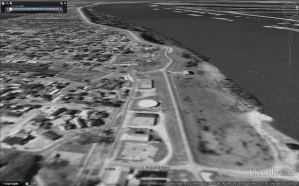
+ The Story of Bayou Lafourche + Creating a Zoom-in Video with Google Earth
With this composite video, I try to tell a story of Bayou Lafourche from the old ages to the future. The first part of this video is a series of zoom-in scenes that shows the location and the whole route of the bayou. At last of this part, the camera is focused on where the […]
-
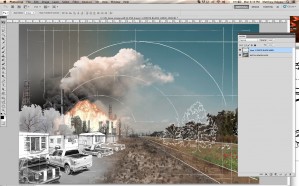
Handwritten Annotation for Hybrid Illustration
Annotations may be added to diagrams and illustrations to enhance the information being presented. When developing digital hybrid drawings, conventional hand drawing techniques may be used to further illustrate or explain an idea textually, or with reference lines for example. It must be a deliberate decision to utilize analog styling for annotations, when a crisp […]
-
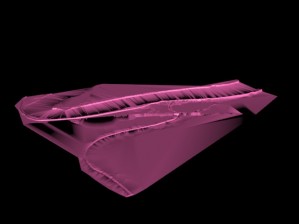
Technique Document – Combine 3d model with Collage
Our group intend to reconnect the Bayou Lafourche and Mississippi River in the future. So, we collect the information of historical events of the Bayou Lafourche and Mississippi River. Before 1905, the Bayou Lafourche was connected with Mississippi River. Then, after 1905, the Bayou Lafourche was disconnected with Mississippi River, resulting in the water of […]
-
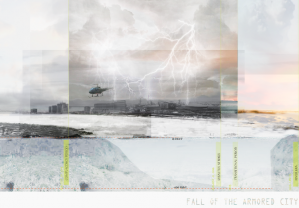
creating a single narrative image depicting shifts in time
My task was to complete a illustrative image to support a narrative about a Louisiana landscape. This illustration in particular is center on a hypothetical catastrophe in New Orleans and the periods before and after the event. in this narrative the attitude about levee systems and engineered infrastructure was laced with complacency. After […]
-
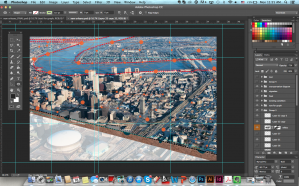
Aerial View of the City and System Diagram
Our group idea is turning New Orleans into Venice. Since New Orleans is lower than the water level, the city has faced a lot of hydrological issues. The flood issue became the most significant problem in New Orleans. Even though the levees had been built to protect the city from water, there are several times […]
-
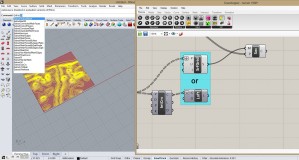
Technique Documentation: Exploring Topography and Hydrology in Grasshopper
Concept: Our composite project focuses on the development of the surrounding areas of Bayou Lafourche. This area changed in the ways of topography, ecology and hydrology. In the generative part, topography and hydrology changes are shown through Rhino model and grasshopper definition. Techniques: Topography: 1.Open the sampler grasshopper definition. 2.Double click on the DEM image. In […]
-
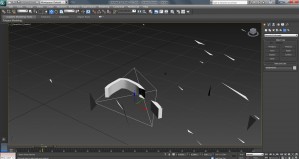
Create Exploding Levee with Rhino and 3ds Max
This project used a modeled terrain of New Orleans (made with a DEM file and manipulated in Rhino), with an exaggerated height levee system, to explore a permanent evacuation scenario for the city if/when the levees fail again. One portion of this exploration was levee system failure due to storm events. To show the levee […]
-
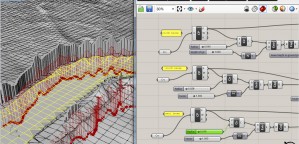
Constructing A Flexible Levee System In Grasshopper
The project contains exaggerated levee systems set within the New Orleans landscape. This exercise manipulates a grasshopper script to allow the levee to gap, rise and fall. Prior to building a script, I brought an Arc GIS, dem file into Rhino. The surface generates the topography from the black and white image by using a […]
-
Technique Documentation- Explosion with Maya Fluids
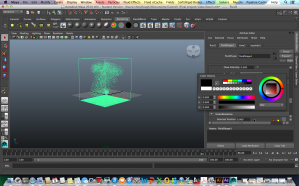
Fluid Effects: A realistic fluid simulator based on simplified, incompressible Navier–Stokes equations for simulating non-elastic fluids. It is effective for smoke, fire, clouds and explosions, as well as many thick fluid effects such as water, magma or mud. added in Maya 4.5 (Wikipedia). According to NASA, the Navier-Stokes equation describes how the velocity, pressure, temperature, and density of a […]
-
Technique Documentation- performance modeling
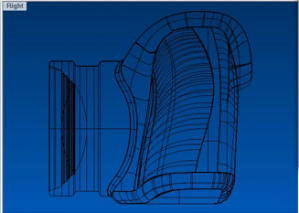
In Rhino there is a command to set the Gradient in the background of the viewports. Select the GradientView command. With this tool the visibility of gradient can be altered. For changing the settings input –GradientView, and then you can change colors. This is useful when the grasshopper definition is subtle, and the changes in the grid […]